Private browser and local file vault for iPhone

Sloop saves useful videos from links into a private local space.

Browse, parse a copied link, save the file, and preview it later from one streamlined iOS workflow. Sloop keeps the experience focused on private browsing, downloads, and organized local files.

Link to filePaste a copied URL and let Smart Parse prepare save options.
Local vaultStore completed downloads in Sloop's app space.
Private toolsBrowser, transfer list, library, and settings stay close.
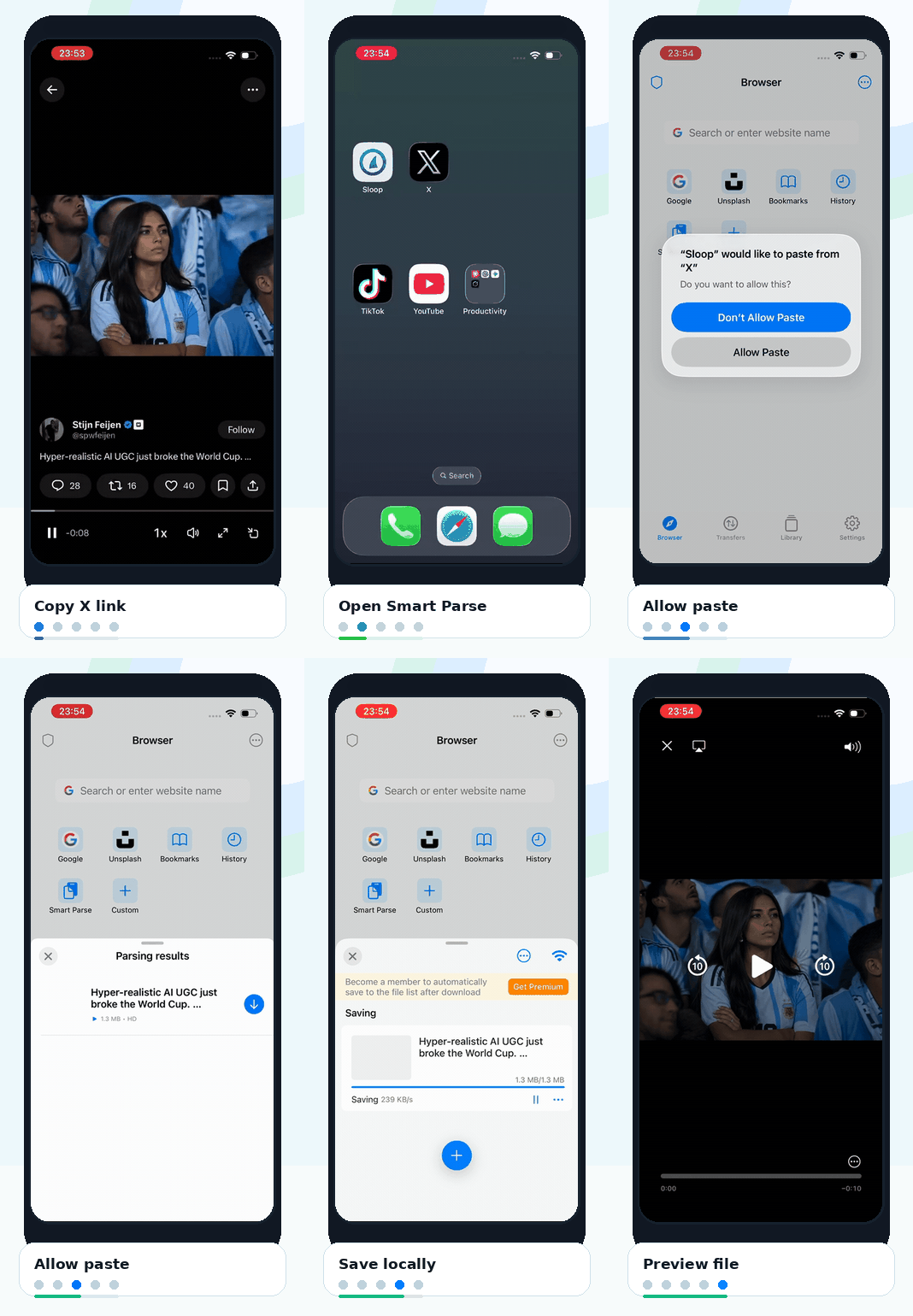
A complete Sloop flow from copying an X link through Smart Parse, saving, and previewing a local file.

How it works

A clear save-from-link flow in five steps.

Five short animations show the path from copying a link to opening the saved file in Sloop.

1

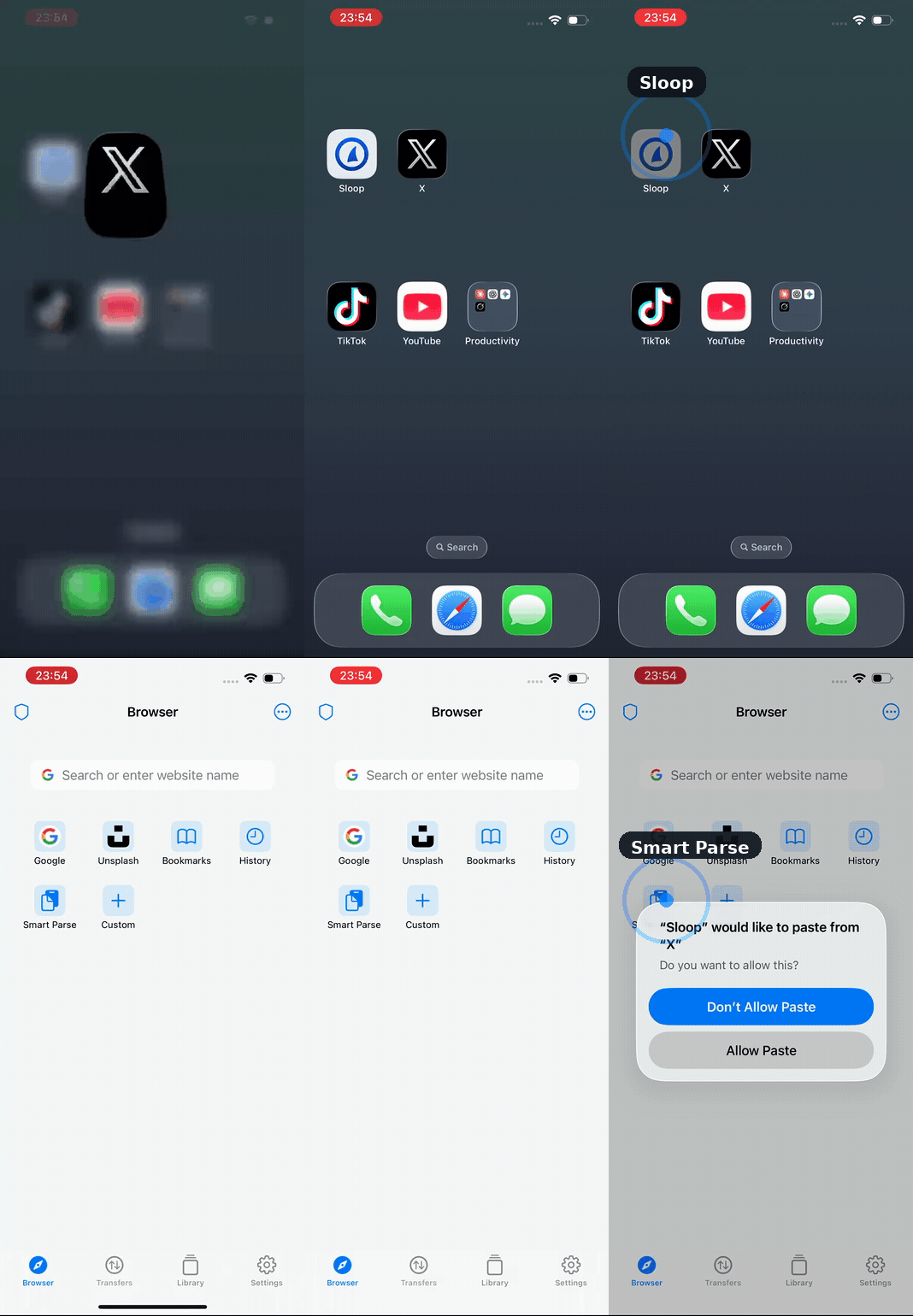
Copy the X video link

Copy a link from the X share sheet.

Start from a video post and copy its link from the share sheet.

2

Open Smart Parse

Open Sloop and tap Smart Parse.

Launch Sloop, then choose the Smart Parse tile from the browser home screen.

3

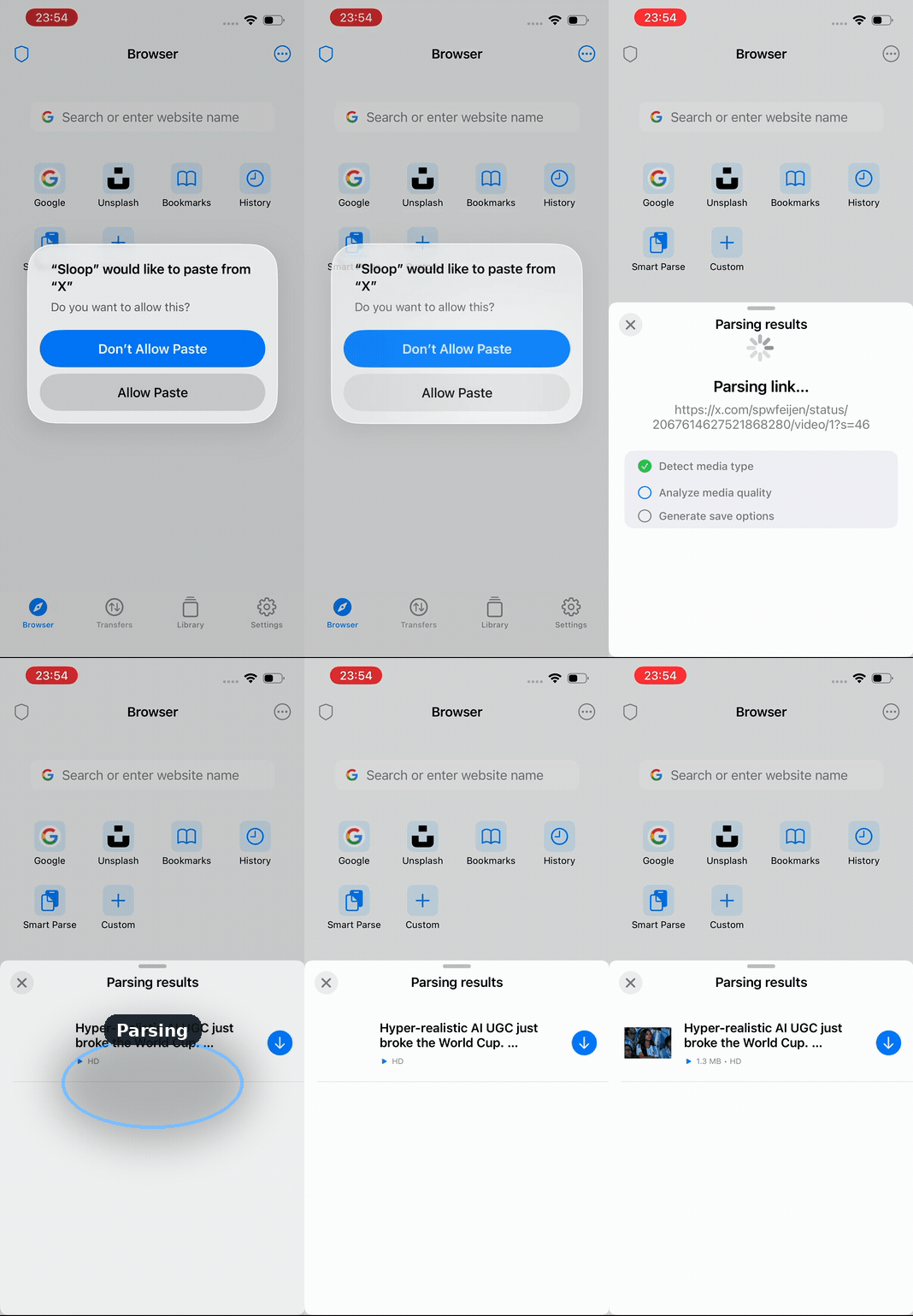
Allow paste

Allow paste and watch Sloop parse the link.

Approve the iOS paste prompt, then Sloop detects media details and prepares options.

4

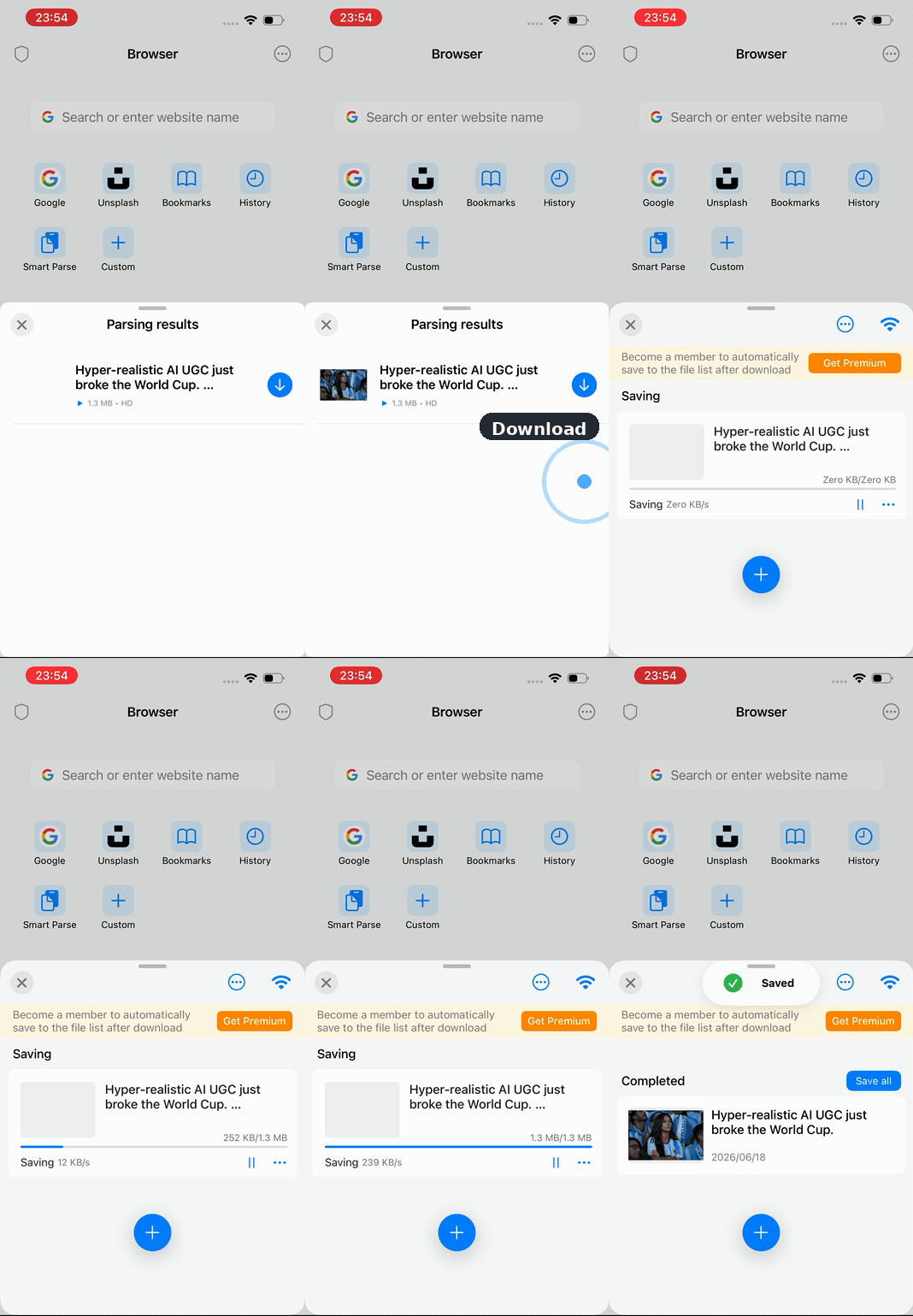
Save locally

Tap the download button and save to Sloop.

Tap the result's download control and track progress in the transfer panel.

5

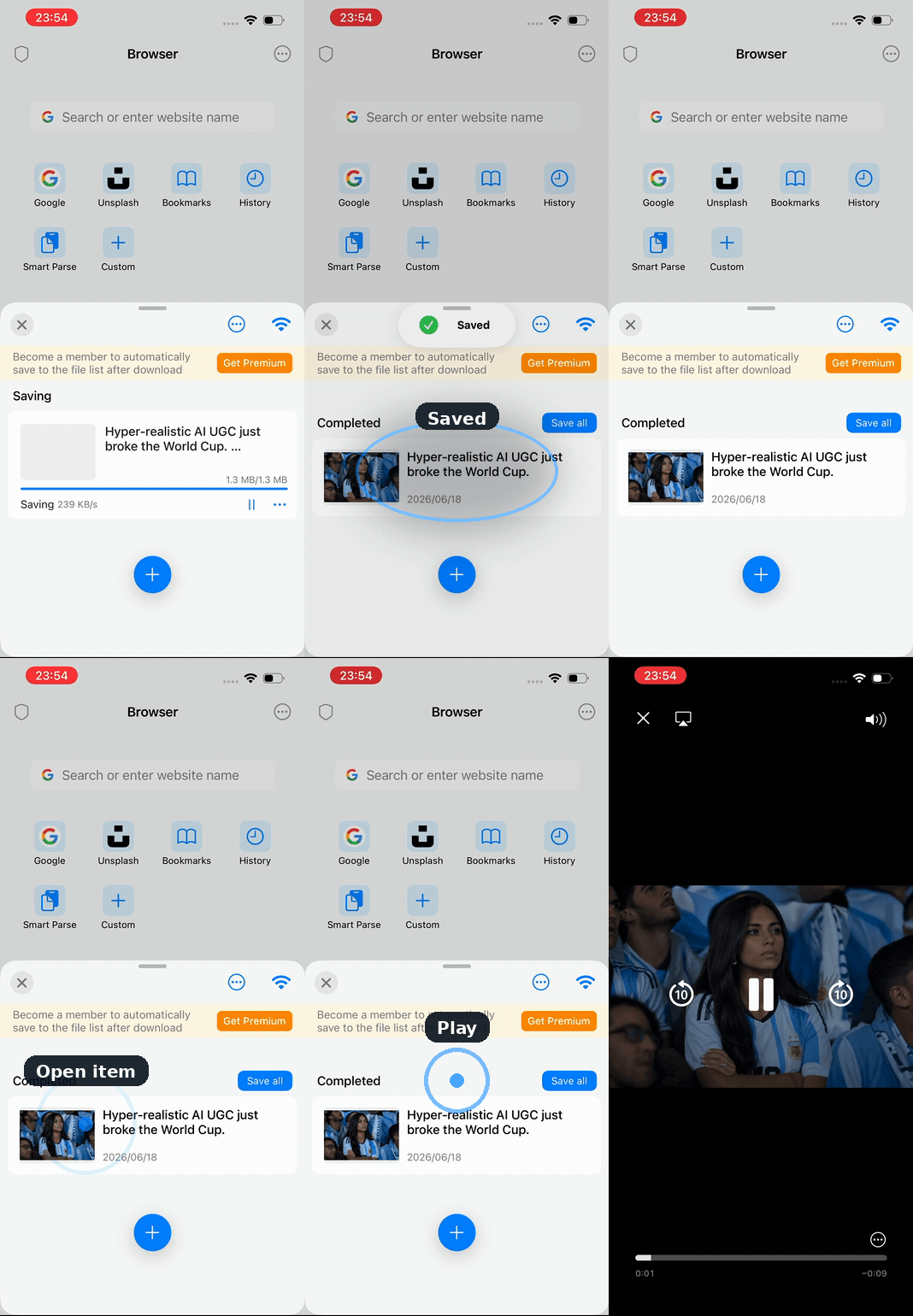
Preview anytime

Open the completed saved file in Sloop.

Open the completed item from Sloop and preview the file in the built-in player.

Built for focus

Browser, transfers, and files in one private app.

Sloop keeps common browsing and file-saving actions close together, reducing the handoff between link discovery, parsing, downloads, and local playback.

Private browser

Search, open pages, and manage browsing tools without leaving the app.

Smart Parse

Turn a copied link into available save options with a direct parsing flow.

Local library

Keep completed files organized in a private app library for later viewing in this iOS privacy app.

Transfer status

Follow active saves and completed items from a compact transfer panel.

FAQ

Frequently asked questions before you start.

Sloop brings link parsing, iOS paste permission, private local storage, playback, transfers, and the file library into one focused iPhone app.

01

What link do I copy?

Copy the X video link from the share sheet, then open Sloop and tap Smart Parse.

02

How does paste work?

Smart Parse reads the copied link after you allow the iOS paste prompt.

03

Where do saved files live?

Parsed videos and files can be saved into Sloop's private local vault on your iPhone.

04

Can I preview saved files?

Open a completed item from the library and preview it in Sloop's built-in player.

05

What stays in one place?

Manage the browser, transfers, saved files, and library without bouncing between apps.

06

I downloaded a video. Why can I only watch part of it?

Some downloads may preview only a portion until your account has active subscription or membership access. Full playback requires a subscription or membership to unlock complete video viewing.

Try Sloop on iPhone.

Install Sloop to browse privately, parse copied links, save files locally, and preview them from one focused iOS workspace.

Download on the App Store